











Ctrl Deck Windows向けのアプリ
- トライアル版
- 51
- V1.8.0
ダウンロード Windows向けのアプリ
無料でダウンロードするには広告を表示する

- COM'BOX
by COM'BOX
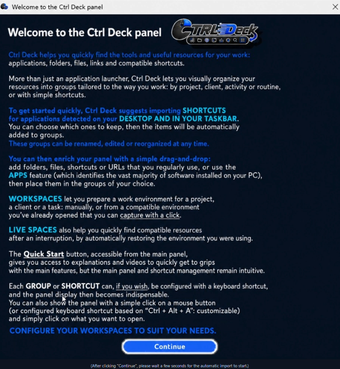
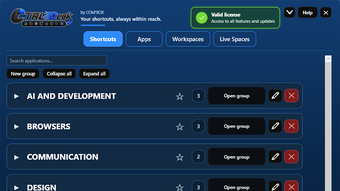
Ctrl Deck is a Windows productivity tool designed to make everyday applications, files, folders, links and working environments faster to access and easier to organize.
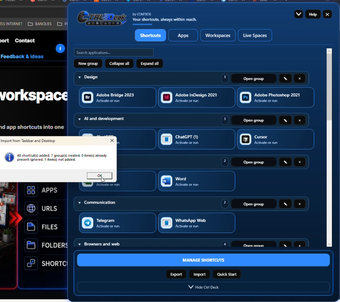
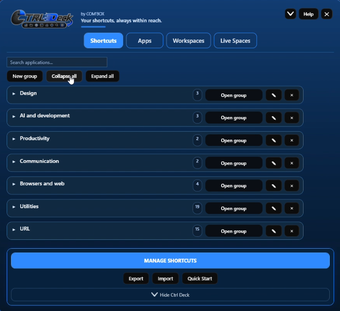
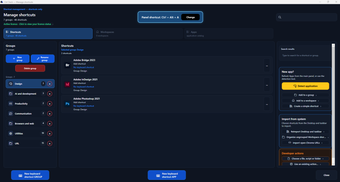
Instead of searching through the Start menu, desktop shortcuts, the taskbar or multiple open windows, Ctrl Deck brings your most useful resources together in a clean, customizable visual panel that stays out of the way until you need it.
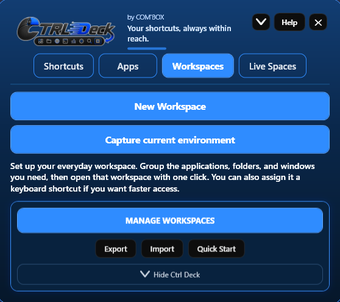
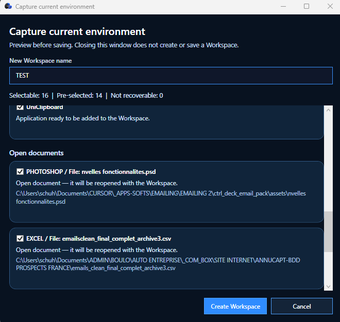
The latest release significantly expands what Ctrl Deck can do while keeping the interface simple. Favorites make it possible to keep important applications, groups and Workspaces immediately accessible. Workspaces let you build reusable working environments combining applications, files, folders and URLs, while Live Spaces help you capture active working contexts, reopen them later and turn useful setups into permanent Workspaces.
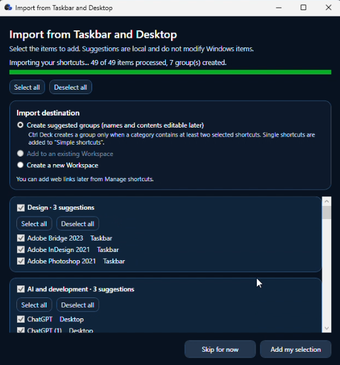
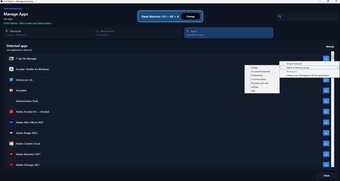
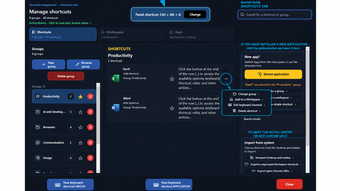
Application handling has also been improved. Ctrl Deck can detect installed applications, launch them, and bring existing windows back to the foreground instead of opening unnecessary duplicate instances. Custom keyboard shortcuts can be assigned to applications and groups, with built-in conflict detection to help avoid overlapping hotkeys. Drag and drop makes it easy to reorganize resources across groups and Workspaces.
The interface and workflow have been refined throughout the application, with improvements to usability, responsiveness, stability, application detection and overall reliability. The goal is to keep Ctrl Deck fast and unobtrusive for simple everyday use, while still offering deeper organization features for users who manage many applications, windows, projects or recurring workflows.
The release also expands language support with three additional languages: Japanese, Korean and Hindi. Ctrl Deck is now available in 10 interface languages in total: English, French, German, Italian, Spanish, Portuguese, Simplified Chinese, Japanese, Korean and Hindi.
A new, much more detailed Quick Start guide has also been created. It walks through the software feature by feature, covering first import, application management, groups, Favorites, Workspaces, workspace capture, Live Spaces, drag and drop, keyboard shortcuts and other tools that may not be obvious from the main panel alone. This makes it easier to discover the depth of Ctrl Deck beyond its deliberately simple appearance.
Ctrl Deck is designed for Windows 10 and Windows 11. A full-featured 14-day trial (7 days in v1.7 !) available so users can explore the complete eature set before deciding whether it fits their workflow.
Loading…
プログラムは他の言語で利用可能です
Ctrl Deck PC向けのアプリ
- トライアル版
- 51
- V1.8.0
ダウンロード PC向けのアプリ
無料でダウンロードするには広告を表示する
ユーザーレビュー
あなたはCtrl Deckを試したことがありますか?あなたの意見を残して最初に!
レビューを追加ダウンロード数トップ ファイル管理 Windows用
ダウンロード数トップ ファイル管理 Windows用
ダウンロード数トップ ファイル管理 Windows用
の関連トピック Ctrl Deck
最新の記事





本ソフトウェアの使用に関わる法令は国によって異なります。本ソフトウェアが特定の国の法令に抵触する場合、そのソフトウェアのダウンロード及び使用は堅くお断りします。 ここに掲載される任意の商品をユーザーがクリックまたは購入した場合に、Softonicは手数料を受領することがあります。